jurl has three ways to pick a page’s images:
| What it reads | Typical time | Typical cost | |
|---|---|---|---|
--image |
File name, alt text, caption | 0.5 to 0.7 s | $0.00004 |
--vision |
The same, plus the pixels | 1.3 to 1.9 s | $0.0002 |
--find "…" |
The pixels, against your description | 2.2 to 2.9 s | $0.002 |
--vision costs five times more than --image. We wanted to know when it’s worth it.
A soup shop: 6 images become 11
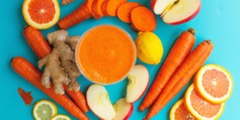
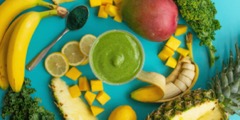
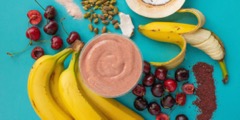
souppeddler.com shows a smoothie for each day of the week, and each photo’s alt text is just the day’s name:
$ jurl --image www.souppeddler.com | wc -l
6
$ jurl --vision www.souppeddler.com | wc -l
11
From “MOONAGE MONDAYS” or “MAGIC FRIDAYS” alone there’s no telling a photo from a banner, so they scored 0.39 to 0.45 and stayed out. Looking at the pixels, they scored 0.64 to 0.67 and came in.
A small hotel: 8 become 4
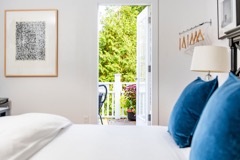
Only one of the nine images on sevenonshelter.com has alt text. Going by file names, three review cards and the logo got in with the rooms. With the pixels, the cards and the logo dropped to about 0.3, and the rooms, the pool and the beach stayed between 0.85 and 0.94. Without vision the count moved between runs (8, 7, 8). With vision it was 4 both times.
A blog: same picks, more sure
On a Cloudflare blog post whose charts have alt text like BLOG-3162 4, vision moved a chart from 0.64 to 0.82 and the author’s avatar from 0.38 to 0.21. Both were already on the right side of 0.5, so the list didn’t change. It only matters if you filter by score.
Wikipedia: find it by describing it
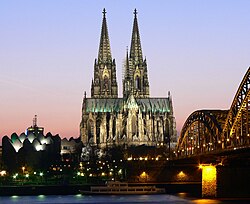
$ jurl --find "a cathedral" -n 3 en.wikipedia.org/wiki/Cologne
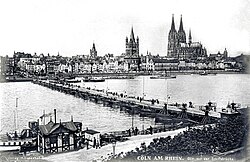
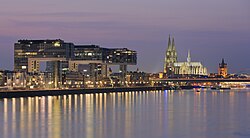
jurl looked at 70 images in about 3 seconds. The three best were the cathedral (0.96), the 1890 skyline (0.95) and the Rhine at dusk with the lit cathedral on the right (0.95). That last one has no alt text and no caption. Only the pixels could find it.
When nothing matches, jurl says so and exits 1:
$ jurl --find "a carnival parade" en.wikipedia.org/wiki/Cologne
jurl: no image in https://en.wikipedia.org/wiki/Cologne looks like "a carnival parade" (closest: …, p=0.03)
Where it didn’t help
We went looking for the textbook case, a photo called IMG_1234.jpg with no alt text that only vision would rescue. On 72 pages from 65 small-business sites we found one, and it was the site’s share image, not a photo in the page. It’s much rarer than we expected.
On Wix sites jurl sometimes builds image URLs that don’t exist, and vision still gave them scores (up to 0.72) though there was no photo to look at. We found that bug here and haven’t fixed it yet.
SVG is skipped: jurl only looks at raster images. Stripe draws its engineering diagrams in SVG, so --find "a diagram of the system architecture" finds nothing there.
We use --image by default, --vision when the alt texts are just labels, and --find when we know what the picture shows.
Image credits: smoothie photos, The Soup Peddler; room and review card, Seven on Shelter, shown small from their home pages. Cologne Cathedral, ger1axg, CC BY-SA 3.0. Köln um 1890, Verlag H. Siebenhan, public domain. Kranhäuser, April 2018, Martin Falbisoner, CC BY-SA 4.0.


